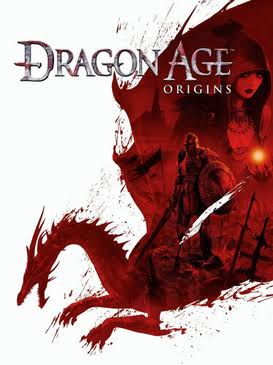
Dragon Age: Origins
A party-based fantasy RPG set in Thedas. The player becomes a Grey Warden and builds an alliance against the Fifth Blight while choices shape companions, quests and the political future of Ferelden.
 PC
PC PS3
PS3 Xbox 360
 Mac
Mac Xbox One
 Xbox Series
 Organized by real platform compatibility
PC commands, console glitches, Game Genie codes, built-in settings and other methods stay attached to the platforms and versions they actually work on.
Enable developer console
PC Steam
Steam EA app
Launch the compatible PC executable with the developer-console switch and bind an unused console key.
Version: Windows PC
How to do it
- Launch daorigins.exe with -enabledeveloperconsole.
- Bind OpenConsole in KeyBindings.ini if needed.
- Open the console and enter runscript commands.
PC-only; do not show these as PS3/Xbox cheats.
Add experience
PCSteamEA appAdds experience points.
Version: Windows PC
runscript addxp X
Add money
PCSteamEA appAdds currency in copper units.
Version: Origins campaign / Windows PC
runscript zz_money X
Immortal mode
PCSteamEA appHealth can decrease, but the active character will not die while immortal mode is active.
runscript pc_immortal
Heal party
PCSteamEA appRestores party health.
runscript healplayer
Kill hostile enemies
PCSteamEA appDefeats current hostile enemies.
runscript killallhostiles
Can break scripted encounters or quest triggers. Save first.
Awakening money
PCSteamEA appAwakening commonly uses its own money script.
Version: Awakening expansion
runscript zz_money2 X
Double-sell unlimited gold exploit
PS3Xbox 360Sell an expensive junk item twice in the same transaction, buy it back, and repeat for net profit.
Version: Console releases; documented on PS3 and Xbox 360
How to do it
- Put one expensive item in the Junk section and visit a merchant.
- Highlight the item in the Junk list.
- PS3: press Triangle (Sell All Junk) a fraction of a second before X (Sell). Xbox 360: press Y a fraction of a second before A. The two sell actions need to register almost together.
- If the timing works, you receive roughly two sales for one item. Buy the item back and repeat.
Save first. Timing-sensitive glitches can behave differently across patches/versions.
Duplicate stackable items
PS3Xbox 360A variation of the double-sell exploit can duplicate stackable consumables/tomes.
How to do it
- Place at least two copies of the stackable item into Junk.
- Sell the stack to a merchant, then buy back all but one.
- Highlight the returned stack and perform Sell All Junk followed immediately by Sell using the same platform timing as the money exploit.
- If successful, the merchant receives more copies than were actually sold; buy them back and repeat.
Use a separate save. Some stack/merchant states can cause items to disappear if the sequence is interrupted.
Repeat Allison’s trap quest for XP and silver
PCPS3Xbox 360In versions where the conversation refreshes correctly, Traps Are a Girl’s Best Friend can be turned in repeatedly for XP and money before Lothering is lost.
How to do it
- Complete Allison’s spring-trap request in Lothering.
- Speak to her again after the turn-in; on affected versions the quest becomes available again.
- Craft or buy more spring traps and repeat.
Patch/version behavior can differ. Lothering is permanently lost after main-story progression.
Free specialization manual unlock
PCPS3Xbox 360Specialization unlocks are stored outside the immediate character inventory state in many releases.
How to do it
- Save before buying a specialization manual.
- Buy/use the manual so the specialization unlock registers.
- Reload the earlier save. The gold/item state returns while the specialization can remain unlocked for the profile.
Behavior can vary by platform/profile/version.